Send and manage video MMS messages from your computer to mobile phones with ease
Send and manage video MMS messages from your computer to mobile phones with ease
Vote (5 votes)
Program license Trial version
Developer Lleida
Version 4.0.1
Works under Windows
Vote
(5 votes)
Developer
Lleida
Works under
Windows
Program license
Trial version
Version
4.0.1
Pros
- Simple, icon-driven interface suitable for all users
- Supports video recording and file conversion for MMS
- Robust group messaging and contact management tools
- Flexible web-based access from any PC
- Detailed delivery and account reports
- Integration of multimedia utilities and downloadable content
Cons
- Limited support for newer smartphone operating systems
- 5MB file size cap may restrict high-definition content
- Dependent on recipient’s phone MMS compatibility
Send video MMS from your PC to any mobile phone with ease and flexibility.
Efficient Video Messaging from Desktop to Mobile
Video sMs enables Windows users to create and send video multimedia messages (MMS) directly from their personal computer to a recipient’s mobile phone. Designed for both individuals and businesses, this tool supports recording new messages using a webcam or converting existing .mpg and .avi video files for MMS delivery across a wide variety of devices.
User-Friendly Interface and Accessibility
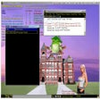
The application prioritizes usability through its graphical, icon-driven design with intuitive, self-explanatory menus. Sending a video MMS requires only a few clicks, regardless of technical experience. A helpful activity log provides a record of sent messages, and real-time notifications alert users to system updates or account activity.
Robust Messaging and Business Features
Businesses benefit from several targeted features, including group messaging and a contact database with advanced import and export capabilities. Customized sender information allows messages to appear more professional, with options to use a personalized number or text as the sender ID. Delivery receipts and read acknowledgments help track message status, while an email notification system keeps users informed of delivery outcomes.
Flexible Connectivity and Account Management
Video sMs is designed to function reliably even within complex network environments, including those behind proxy-firewalls or corporate security setups. Whether on a personal or shared public computer, users can log in from anywhere via the web-based interface. Account management is straightforward, with options to recharge credit through PayPal or credit card directly from the application.
Multimedia Tools and Extra Services
Besides core video messaging, Video sMs offers several multimedia utilities. Users can preview photos, design operator logos, play polyphonic ringtones in MIDI and MP3 formats, and even access a catalog for downloading Java or Symbian mobile games and apps. Messages can be tailored to individual recipients, supporting personalized bulk sends—a valuable option for marketing campaigns.
Performance and Compatibility
Messages up to 5MB are supported, ensuring sufficient quality for most multimedia content sent to compatible smartphones. The platform accommodates both Java and Symbian devices, covering a broad range of handsets. Real-time credit information and activity tracking help users manage usage and expenses efficiently.
Pros
- Simple, icon-driven interface suitable for all users
- Supports video recording and file conversion for MMS
- Robust group messaging and contact management tools
- Flexible web-based access from any PC
- Detailed delivery and account reports
- Integration of multimedia utilities and downloadable content
Cons
- Limited support for newer smartphone operating systems
- 5MB file size cap may restrict high-definition content
- Dependent on recipient’s phone MMS compatibility